sBitx gets an upgrade…or 2!
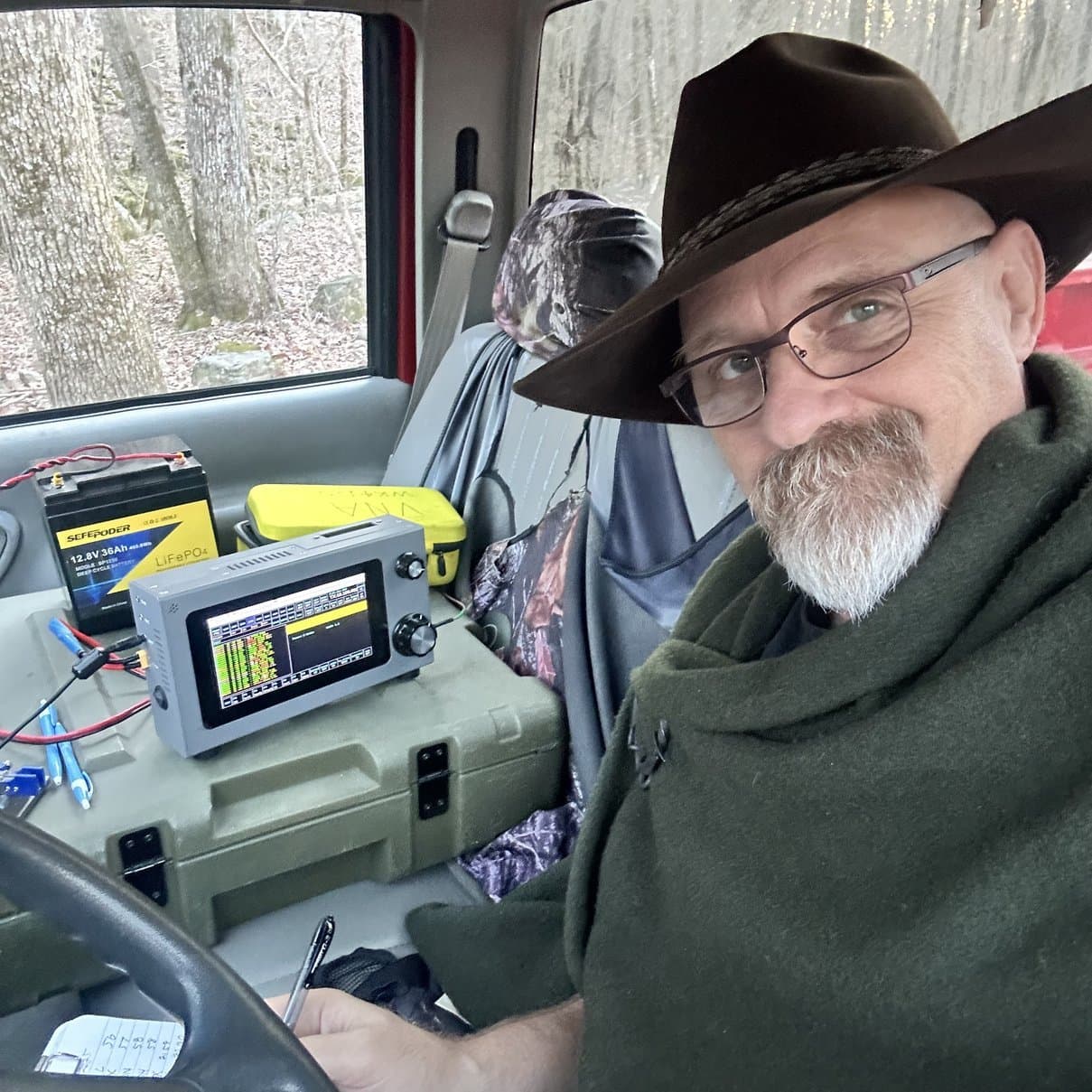
The sBitx V4 just keeps getting better and better. With the recent software version upgrade to version 4.3, the Sbitx has had a nagging problem with the CW keying circuit patched and now it works great! In the previous versions there was this issue where the timing was slightly off and you had to be very careful in how you keyed the radio to send CW or it would send poorly, just trash to be exact.
Then someone suggested that they change the polling rate and increased it to 20 times faster and the timing issue vanished. The below photo shows the sBitx running version 4.3 in FT8 mode as it is really hard for me to get a good photo of the CW operation.
Since it was working so well, I wanted to get it on the air and activate a park with it. This took me a week to accomplish, not because of lack of contacts per day or anything like that, but rather with the whole world falling apart around me and I had to goto work on all the POTA days…
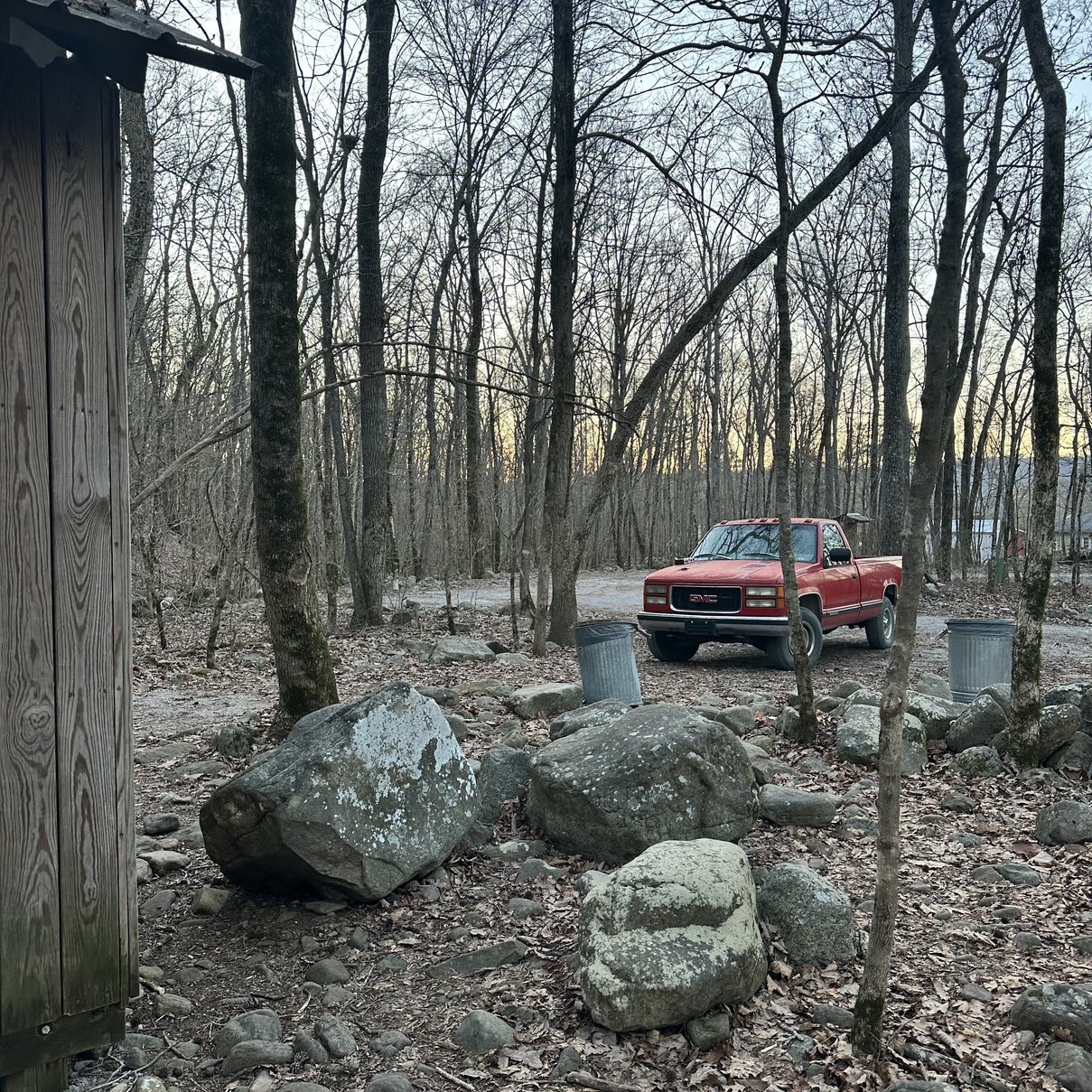
Below you can see that I am in one of my old shop trucks instead of the POTA wagon (my personal Dodge Ram 2500 that you usually see in these posts). This is because the transmission in the Dodge seized up on the return trip from Florida… You read that right, it locked up while we were driving home. I suspect a bearing on the input shaft locked up. The truck was running fine and at about Gainesville FL, it started loosing power which made me think it was engine related so I get off the interstate and at the end of the ramp, when I pressed the clutch pedal, the back wheels locked up and the truck slid to a stop in the grass beside the off ramp. Done.
Well, we get it towed to a transmission shop, rent a car and head on home without the POTA wagon... So here we are are with the old Chevy instead. Shouldn’t be long though as they already have the replacement transmission in the shop from the vendor and have it scheduled for installation early this week.
Well, since the POTA wagon is in Florida and I am in North Georgia, I don’t have ready access to the hamstick antennas that I usually use on the short time frame activations that are like the one in this story. Not to be deterred, I deployed my old MFJ antenna tuner and strung up a 41’ wire antenna into the trees and tuned it up with the nanoVNA. This worked really well as it turned out as you will see in the logbook later. In the below photo I am standing where the haul line was tied off pulling the wire antenna almost vertically up.

The ole warhorse is still running strong. This old truck sports a 1 ton, single wheel chassis and the classic 454 engine. So much gas to drive this thing…lol. For now though, these are my “wheels”. I didn’t think to bring the hamsticks home so I will be using wire antennas in the interim. That is why I am using one of them on this day.
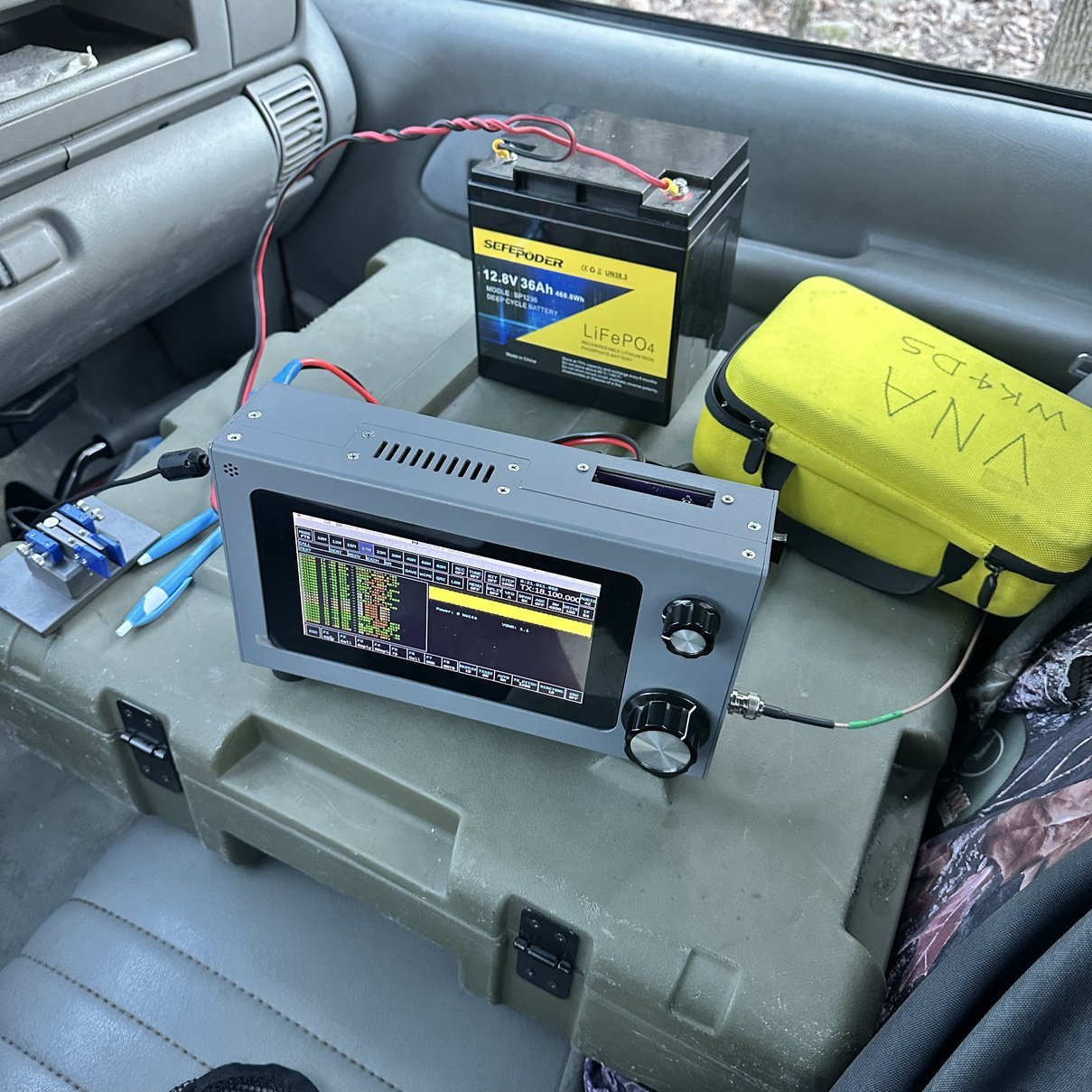
Setting up in the cab of the truck afforded me the luxury of staying warm as it was getting colder the closer it got to sundown. I ran the coax out the the tuner which I placed on the hood of the truck to put it between the antenna and the coax to better match the impedance properly. I used the case for the Ten Tec Argonaut 5 as my table of sorts and setup the sBitx on it. I am going to stop putting the “V” designator as this radio shipped to me as a “V2” then I did the hardware and software changes to make it a “V3” then I upgraded the software again to “V4” recently so I don’t know what I have anymore! HaHa.I am in the process of reworking the CPU cooling portion of the rig as you can see i have removed the cover over the Raspberry Pi 4 and my plans are to make an adapter to mount an external fan to draw air across the Pi and out the top. This should help cool the radio and keep it much quieter as opposed to the really loud 25mm fans it has on the CPU now. Those tiny little fans sound like jet engines when they are running. Which is all the time the radio is on… This radio is supposed to be passively cooled, and it is from the factory, but I added some fans to help keep it cooler as it gets REALLY hot without the fans. I bought one of the Noctua (low noise) fans to mount on the top so we will see how it does.
The next thing you will notice is that I am not running off of truck power today, this is because this truck outlet uses cigarette lighter plugs only and I don’t have an adapter. The simple solution was to bring my 36Ah battery and just use it instead. This thing will power this radio for days. There is so much energy in these batteries and they weigh almost nothing.
You will also see the N3ZN travel key as well as the nanoVNA kit in the photos as well. Both of these are permanent parts of my POTA kit now and I use them regularly. The N3ZN keys are truly wonderful little keys and if you have not tried one, I highly recommend you do so.
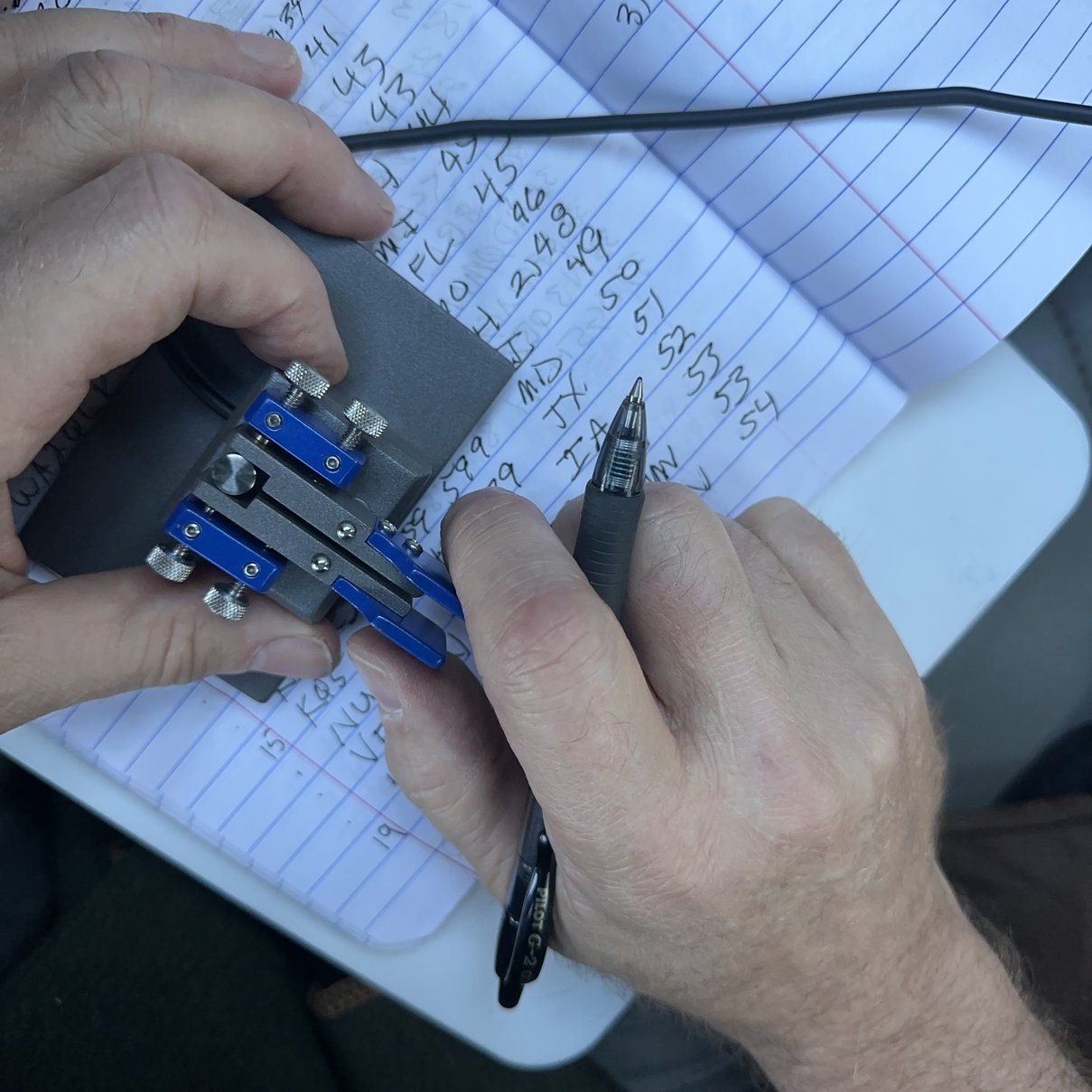
If the key is sitting on a table, it will stay put as long as I don’t ham fist it. Since it was sitting on the notebook here, I was having to hold it to be able to send good code…most of the time. LOL You can also see just how small the actual key is, I got it with the optional base plate for table use, but it can easily be used handheld as well. You only have to remove a couple of screws to get the base plate off of it and then the foot print is WAY smaller.
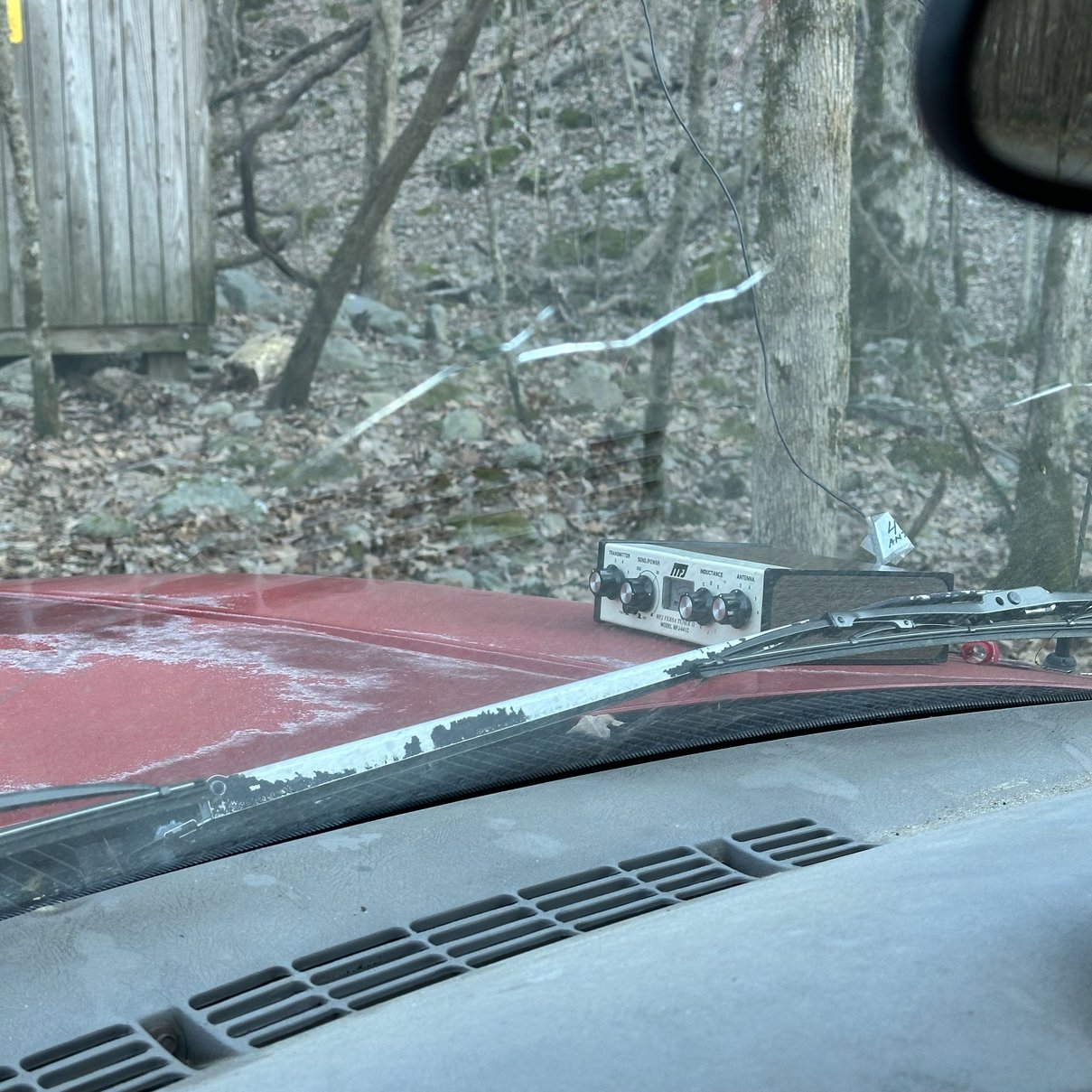
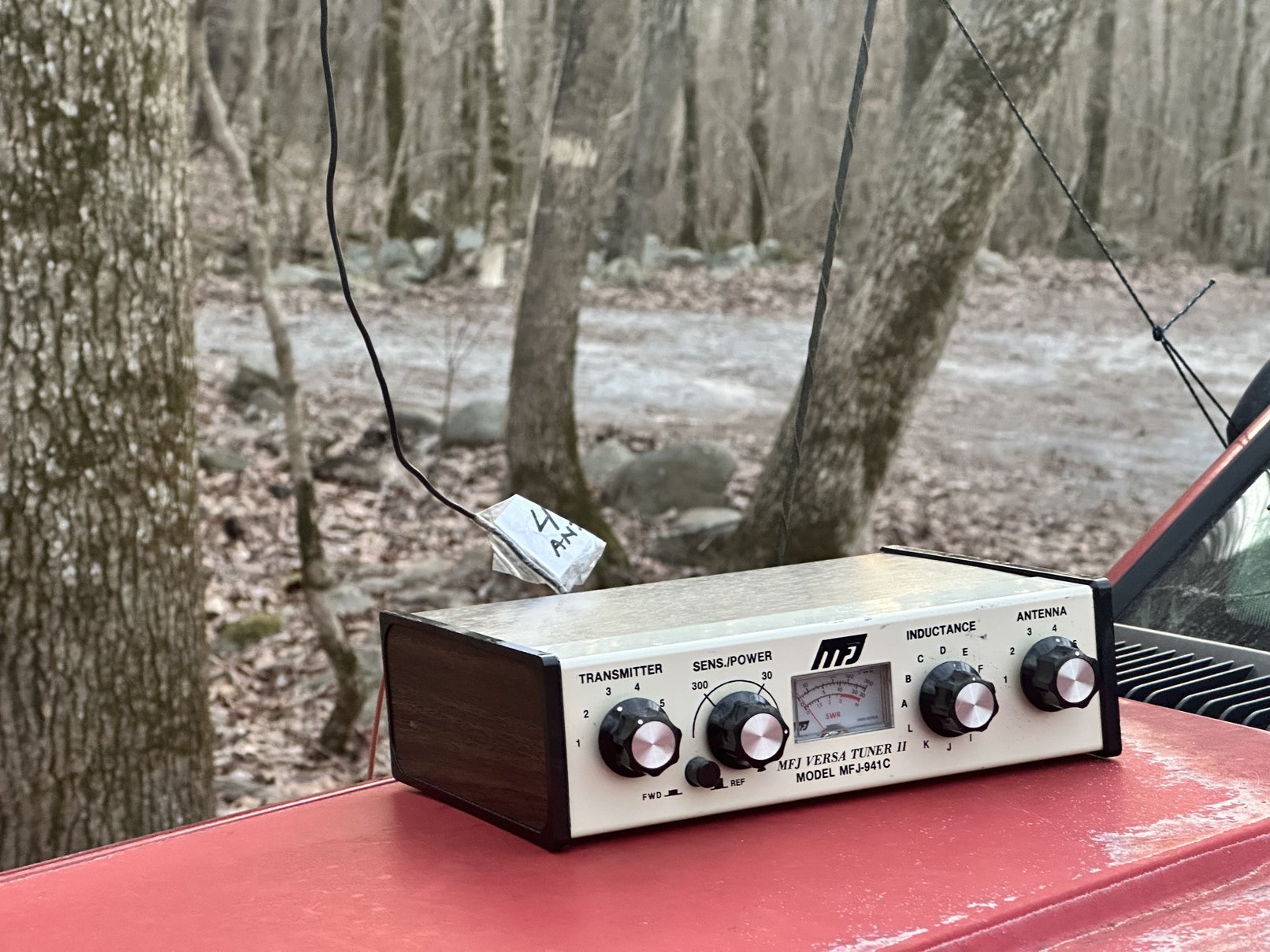
Here is the tuner I used today. Yes, it is a manual tuner. I have not graduated to an automatic remote tuner just yet. So this did require me to get out of the truck and go around to the other side of the truck every time I wanted to change bands. This means I didn’t change bands very often. So I would disconnect the coax from the radio and then take the VNA and tune the antenna with the VNA and simply plug the coax back into the radio when done and hop back on the air.
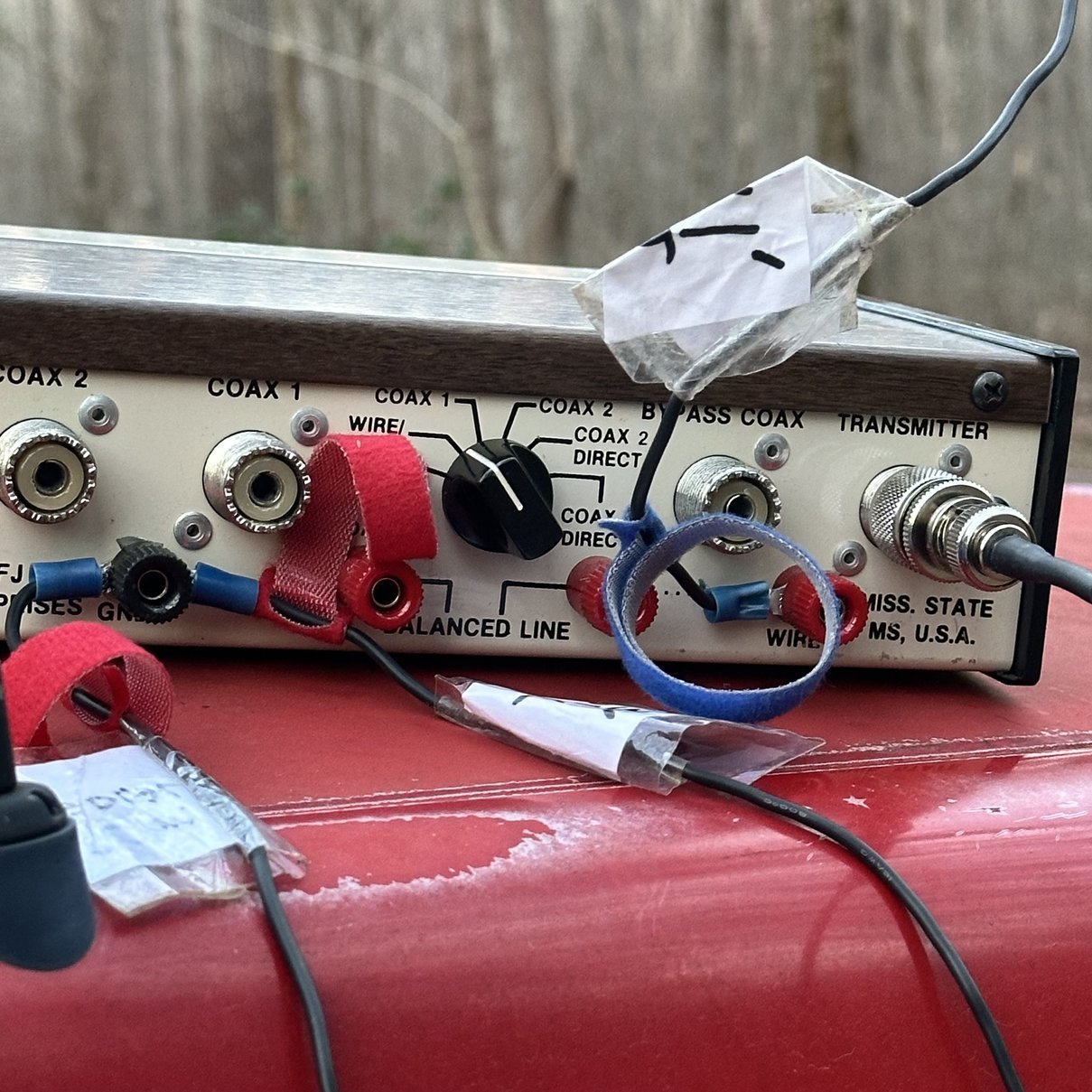
The below photo is one of the main reasons that I like this antenna tuner in particular. It has so many ways to use it that it is almost impossible to not find a way to get your system working. I use the wire antenna input the most with it, just like you see here. I have two counter poise wires on the ground screw and the 41” wire on the wire input. This tuner really likes 17 and 12 meters with the 41” wire for some reason. Which works out for me a lot of the time.
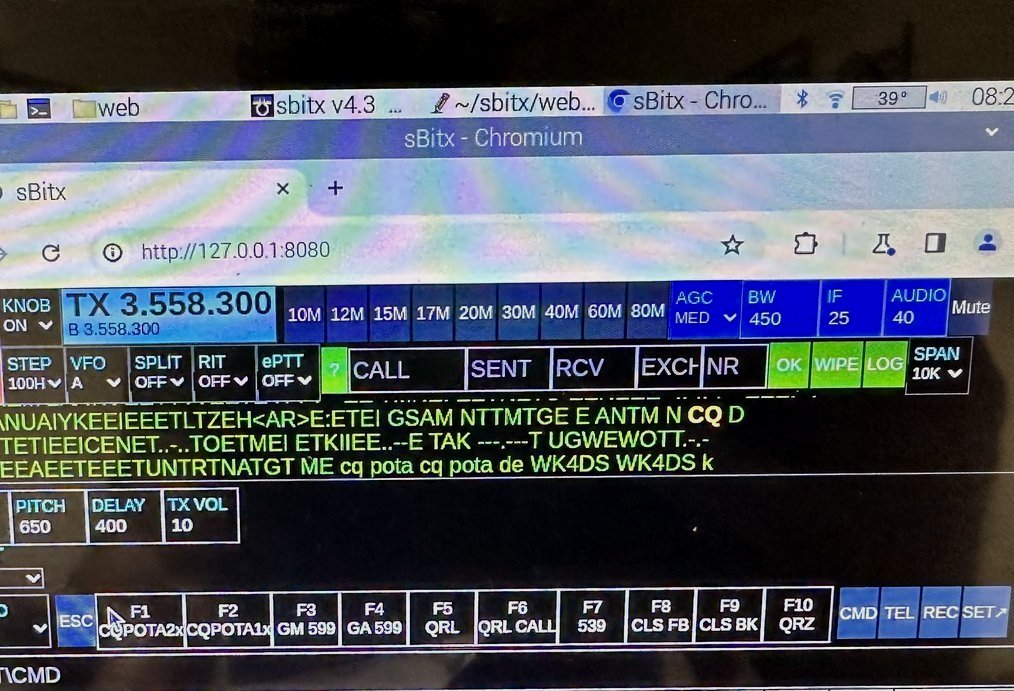
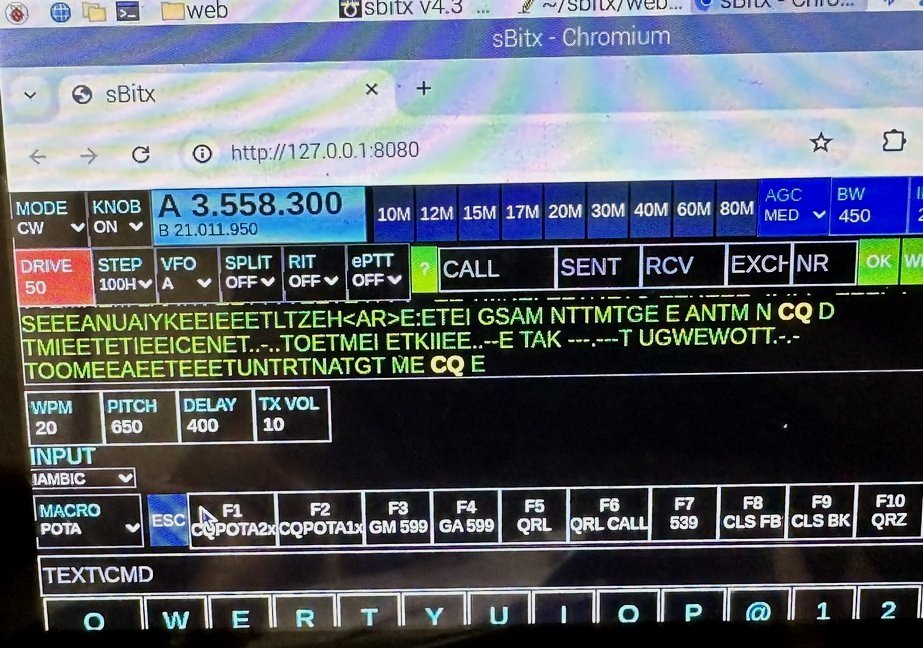
As fate would have it, there is not just the pot of gold at the end of the CW rainbow. What you see here in the above photo is the F1 CW memory message in the que to be sent (this is the lower case text along with my callsign twice and the K at the end). When it sends a letter, it will turn to a capitol, yellow and bold to show you it has been sent. Weill the below photo shows what it actually sent. Turns out that the culprit is a combination of the new CW polling code and the DELAY function you see right above the F1 button on the display. If this value is below 450, just like it is in the above photo, it wont send past the first word. But once you increase this value a little, the keyer works perfectly. I now run this CW Delay at 500 just to be on the safe side and it has worked perfectly ever since.
I really like having the memories as it gives me time occasionally to write something down, turn the page in the logbook, or grab a quick drink of water without breaking the flow of the activation. So not having these almost made me sideline this rig till further notice. Even though the older Ten Tec radios I use don’t have memories, I can just plug the Picokeyer in and it has 8 of them, (2 bands of 4 memories) and I can have that break that I need from time to time while the keyer calls CQ for me or what have you.
To be in the southern Appalachian mountains, with a CW key, in the cab of an old pickup truck, in the winter…makes for a great couple of hours for POTA. I have never had so much fun as I have had with this program. If you really like Field Day and the whole process of setting up a station under less than ideal conditions, then you really should look at dabbling in POTA a little, who knows, it just might be for you!
73
WK4DS
#block-yui_3_17_2_1_1739046854972_11710 .social-icons-style-border .sqs-svg-icon--wrapper { box-shadow: 0 0 0 2px inset; border: none; }
[
](https://www.youtube.com/@HamRadioToday)[
](https://www.instagram.com/ham.radio.today/)[
](https://www.facebook.com/groups/hamradiotoday)[
](https://www.tiktok.com/@ham.radio.today)[
](https://discord.gg/XTxk6MuqAU)