sBitx V4 Ham Radio at a pseudo new POTA park.
So today I tried to go to a park I had not activated before, only to find it closed. Well, not to be deterred, I looked on the map and found a new park near me, but it looked like one I had been to before. I thought I would ride over to it and see if it was open…it was.
The POTA project moved the park designation that I used last year from where 11879 is now down to where 3958 is at and gave the gorge a new number all together…this meant I could have had an ATNO!!! I had no idea that it had even happened…sad POTA sounds…
Turns out, it was a park I had been to, and as it turns out, the one I tried to go to, was what this park was once designated. Seems that when they did the reconstruction of the parking lot last year, they also got the gorge re-designated as a state park too. This was POTA park North Chickamauga Creek Wildlife Management Area (US-3958) last year. Shoot it was that park number just earlier this year come to think of it… When I was here then, this was all under construction and they had a bunch of excavators and such in the area and this is what they were building I guess. It was nice and I was happy to setup here again.
What is nice now is that all the spots have gravel so it isn’t near as muddy as it was last time too. I setup on one of the higher spot in the parking area, but this is almost a joke due to the proximity to Mobray mountain, which is literally just out of camera frame to the right, on the other side of the road and it goes up probably 500 feet. I decided that I would limit myself to 20 meters today as that would give me the best chance at an activation as well as keep me inside the truck where I would be able to stay dry. I hurriedly setup the ham stick on the back of the truck and ran a single radial out away from the back of the truck to give it a counter poise and got back inside.
I still have not fixed my damaged coax yet so I used the ABR Industries coax again to get the rig connected to the antenna. Also, once again, I used electrical tape to temporarily shield the coax connector from the rain as well.
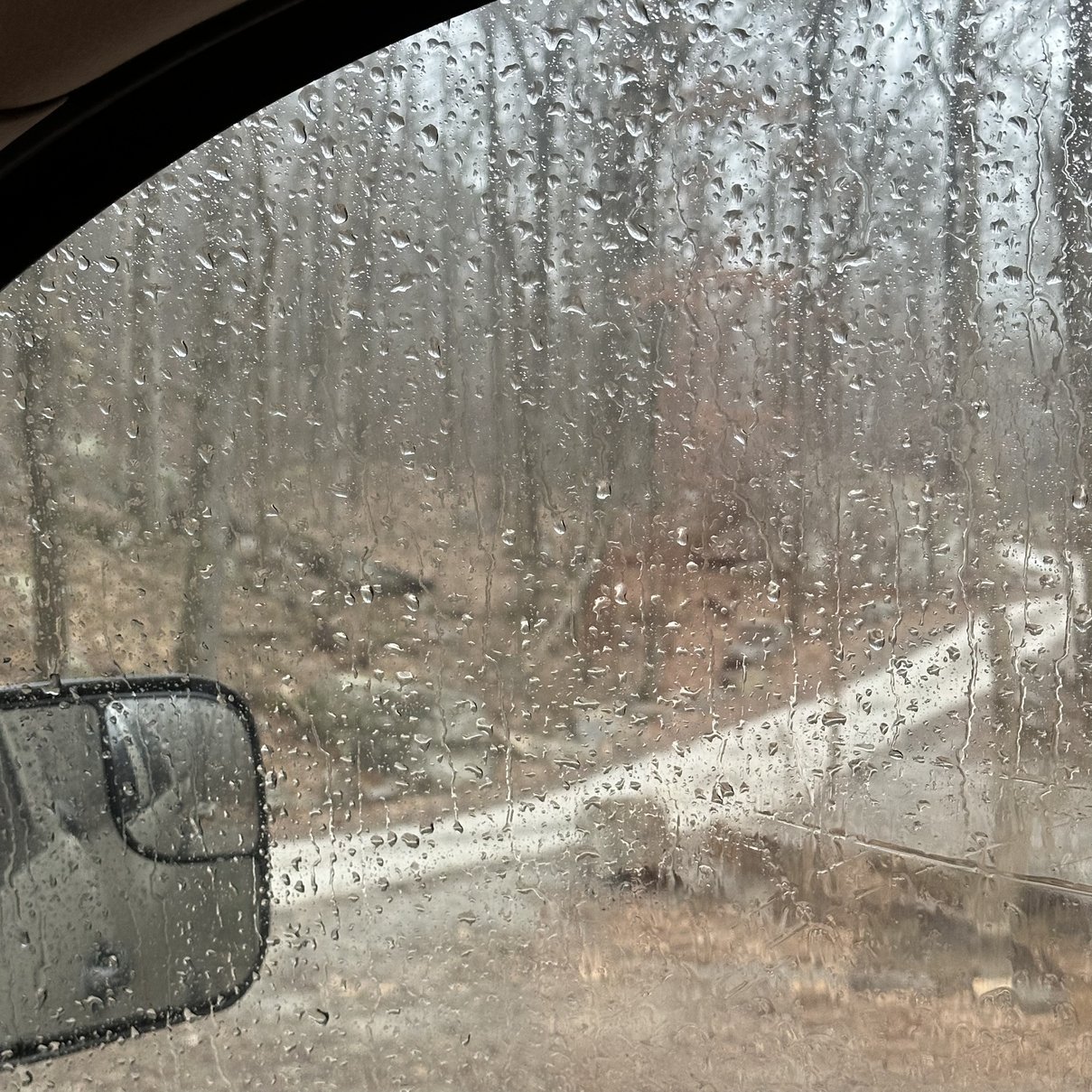
Below is a photo of the road directly behind me from where I took the one of the truck. You can see how the mountain just goes up across the road, so that direction was pretty much a lost cause from this park.
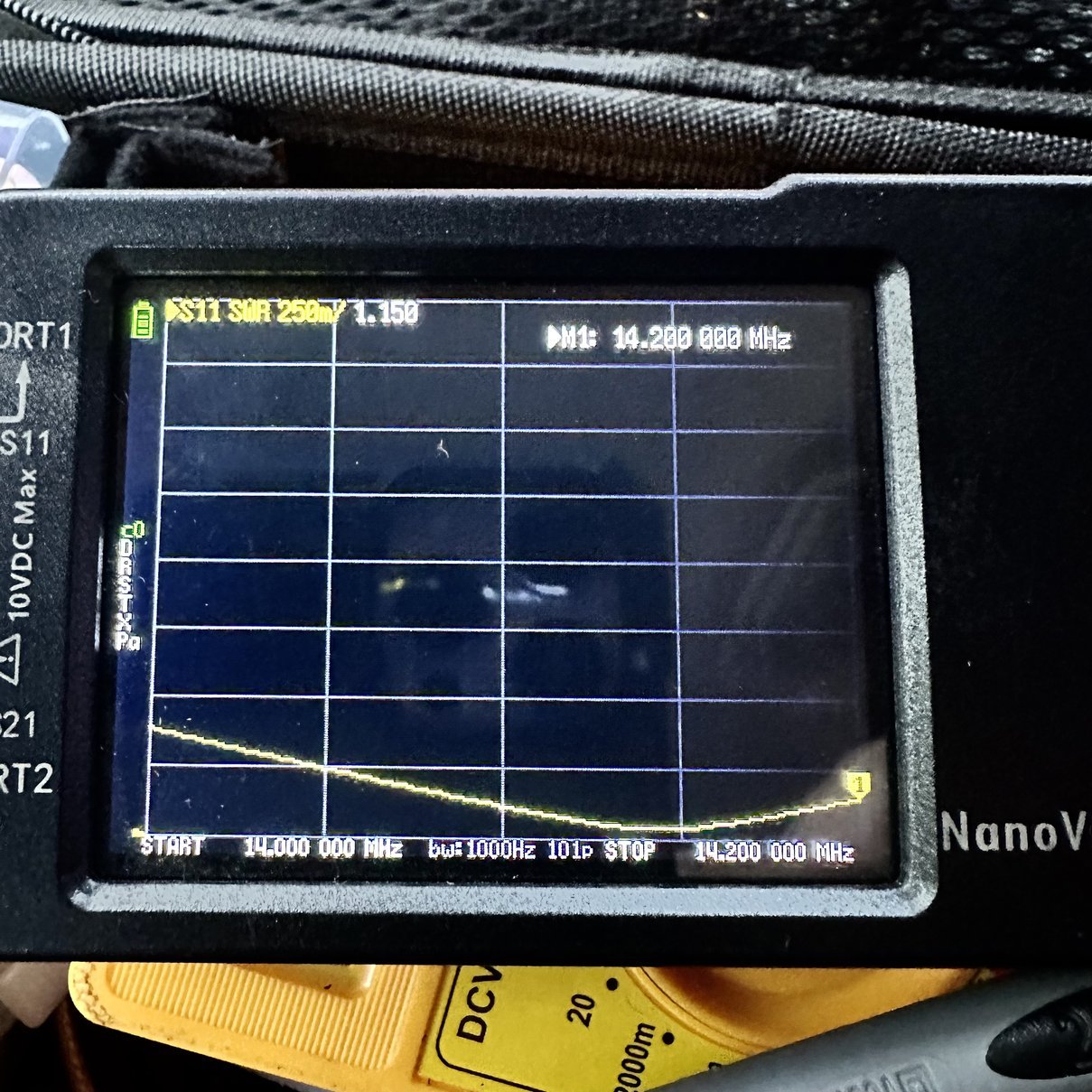
Turns out that I grabbed the right radial for 20 meters too! Check out that SWR plot on the nanoVNA! I love it when a plan comes together. I love this little tool for radio ops, especially in the field if you are tuning an antenna. This thing makes that work so much easier, it isn’t even fair. If you have not picked up one of these wonder gadgets yet, I strongly recommend it. I have grown to rely on this thing to the point that I have two of them in the kit now. They are that cheap…and useful.
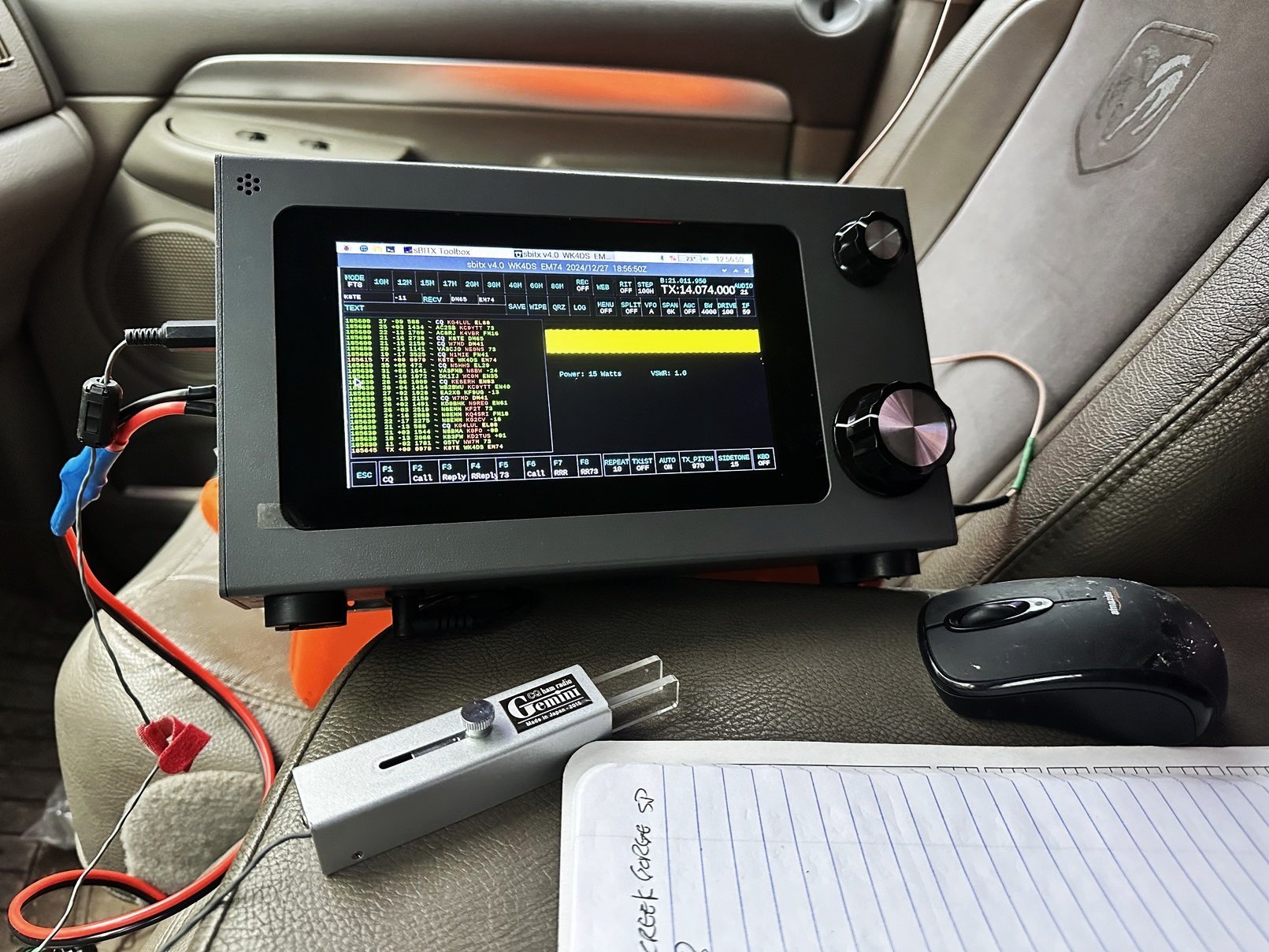
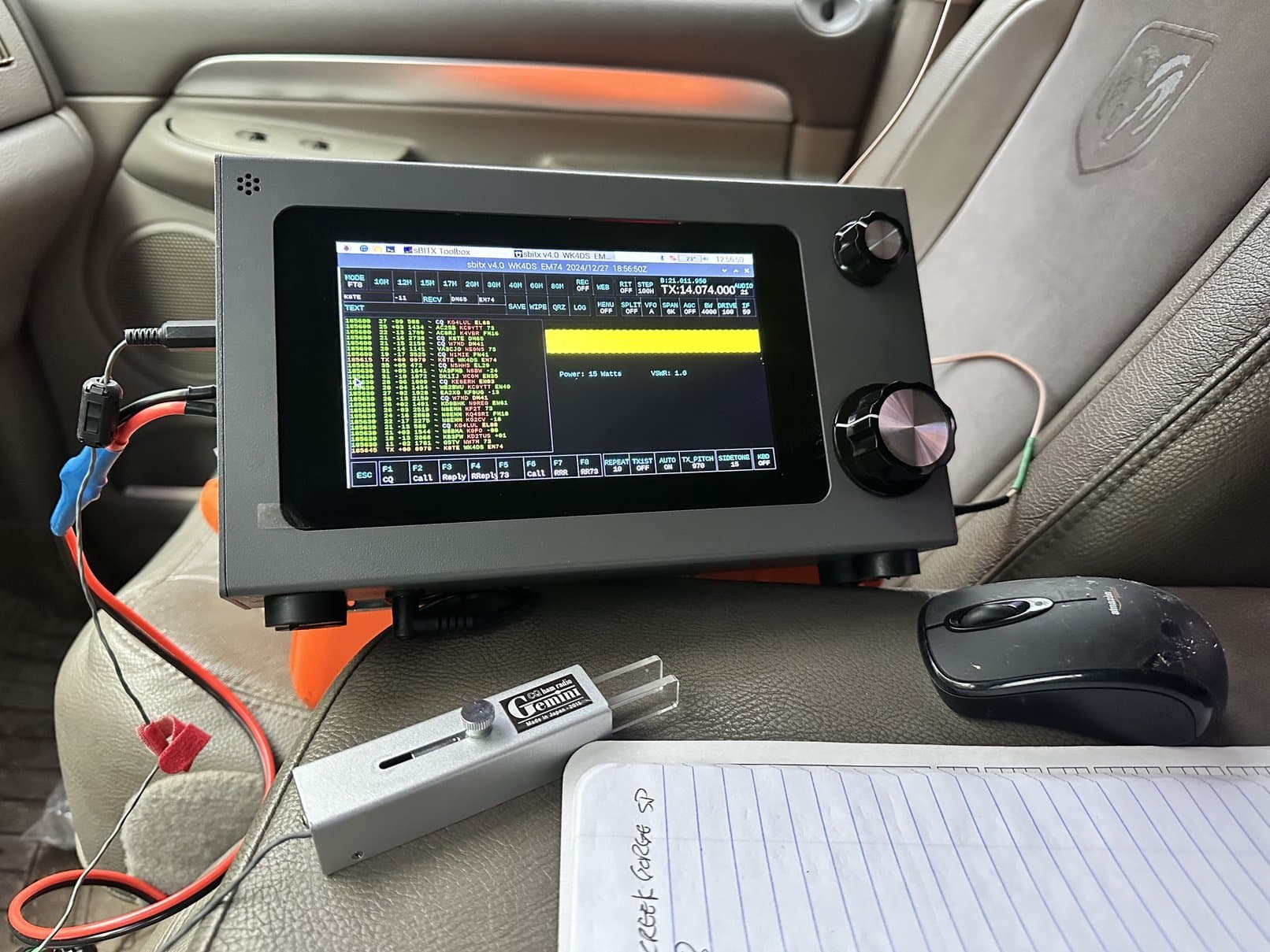
So once inside the truck, I setup the radio in the same locale that I had used it in last time, when here to work my first POTA on FT8. I figured why not grab some FT8 contacts before setting off on a CW adventure? As you can see, there were plenty of stations out today so I figured I would get 4 or 5 pretty quick and then move to CW. Well, that is not how it went at all…I called CQ and I tried to reply to calls, all for nothing. Not a single hit, then it occurred to me that I have not synced the time in quite a long time and it is probably off by a little bit. Ashar (the guy who invented the radio) stated that the RTC in it could drift up to 1 or 2 seconds a month from UTC so it was important to periodically get online and let the radio sync with the internet. Since this time, the new 64 bit version has been released and in that version is a tool to sync the clocks. Turns out this radio was off by about 1.5 seconds and this is enough to prevent FT8 from working properly in many instances… Lesson learned.
After struggling around on FT8 for a while and not getting any bites, I decided to plug the CW key into the radio to see what I could scare up on that mode. This is when things changed for the better. Aside from the keying issues with the radio, there is a software issue with how the radio “polls” the inputs and the time delay in this polling makes the CW a little unusual to work with. You have to be very deliberate and not run the radio too fast or you just start sending trash and no one can copy it.
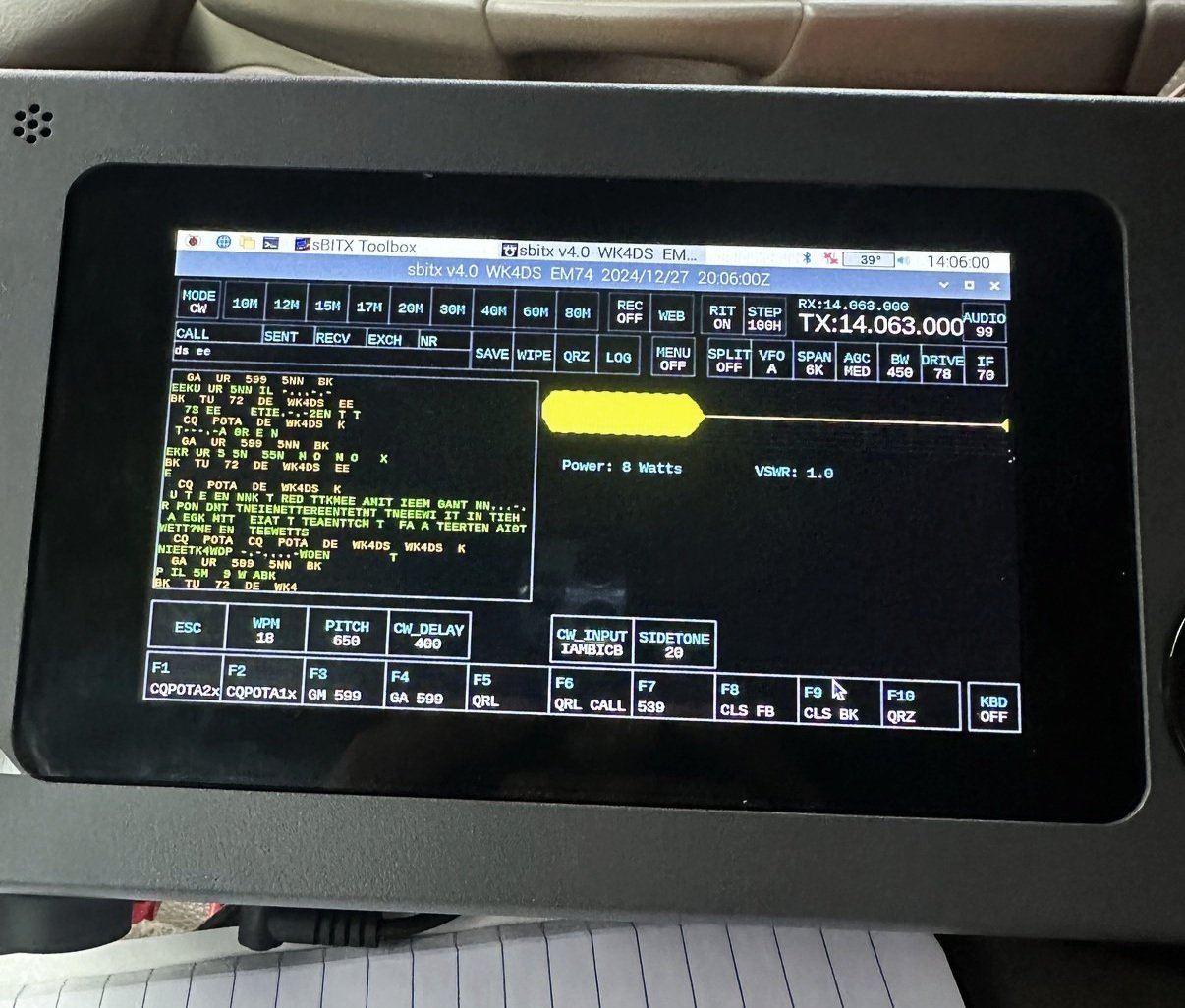
Once I had moved over to CW and loaded the menu to have my memory keyer send common POTA messages, I dialed the power down to about 8 watts, slowed the keyer down to 18 WPM and got started. It took me a few minutes to get the cadence right for the keyer on the sBitx, but once I did, it was off to the races.
Now to be transparent here, I lowered the power for two reasons. The first reason is that I wanted to work this activation as QRP if the bands would cooperate. (Which they did…as you will see) and the second reason is that this radio heats up the CPU when on the air and running at full power. I have seen the RPi temp hit 52C a couple of times with it. As the radio gets hot, it starts to throttle the processor, which exacerbates the problem with the keyer making it all but impossible to use for CW once it is that hot. So I figured that if I could keep the radio cooler by running lower power this might help the problem. As you can see in the photo above, the time is right at the 1 hour mark for the activation and the temp is only at 39C (the temp of the RPi is in the white bar at the top) which it climbed to 41 briefly at one point where I was sending CQ for several times in a row to heat up the radio with…Once I started making contacts again, it dropped back down to the 38-39 degree area and stayed there. The time when I am listening to the other station is long enough to allow the radio to cool when running 8 watts. This is awesome as it allowed me to operate for over an hour at one sitting without the radio slowing down to a snails pace for a change… I dont know why I had not thought of this sooner.
The rain really started to come down while I was activating, and this started to get concerning as I was going to have to break down the radio at some point… I was really not wanting to do that in the rain, that is not the best answer I could think of. I have done it in the past, but I prefer not to dismantle the gear in the rain if at all possible.
So armed with this information, I decided to just keep going with the activation as I really didn’t have anywhere to be today and the pileup was manageable and the keyer was working… you see where this is going…
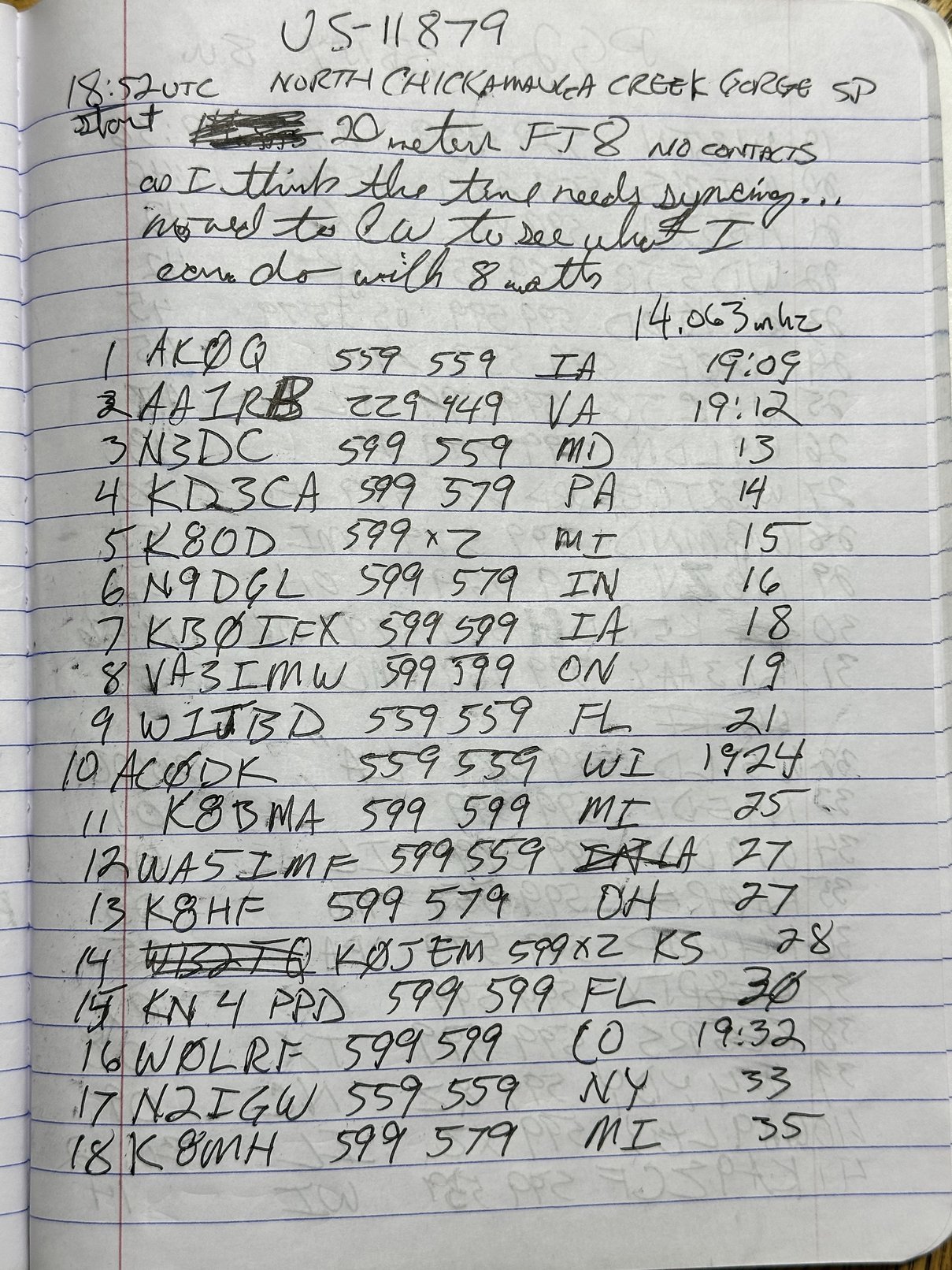
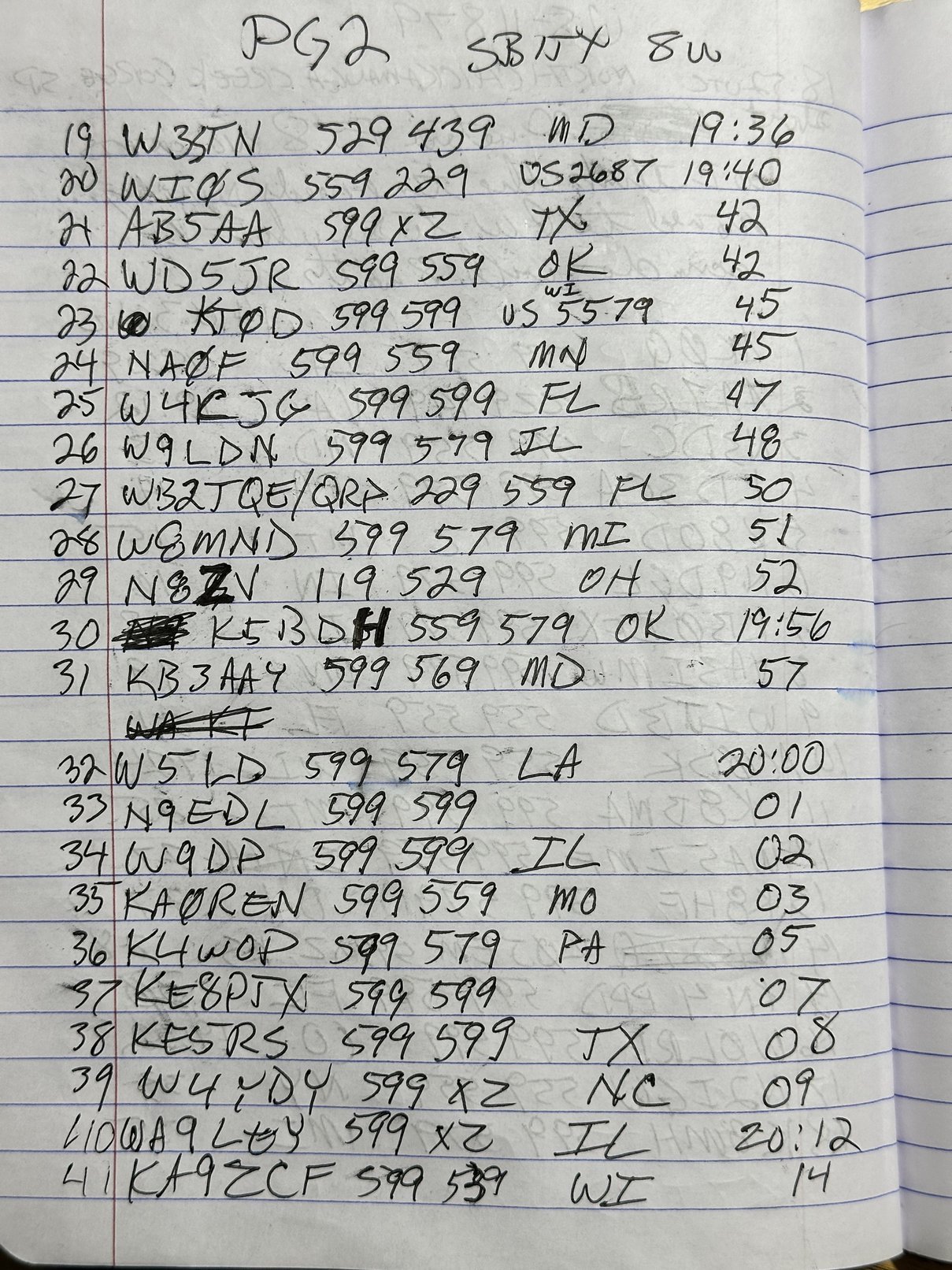
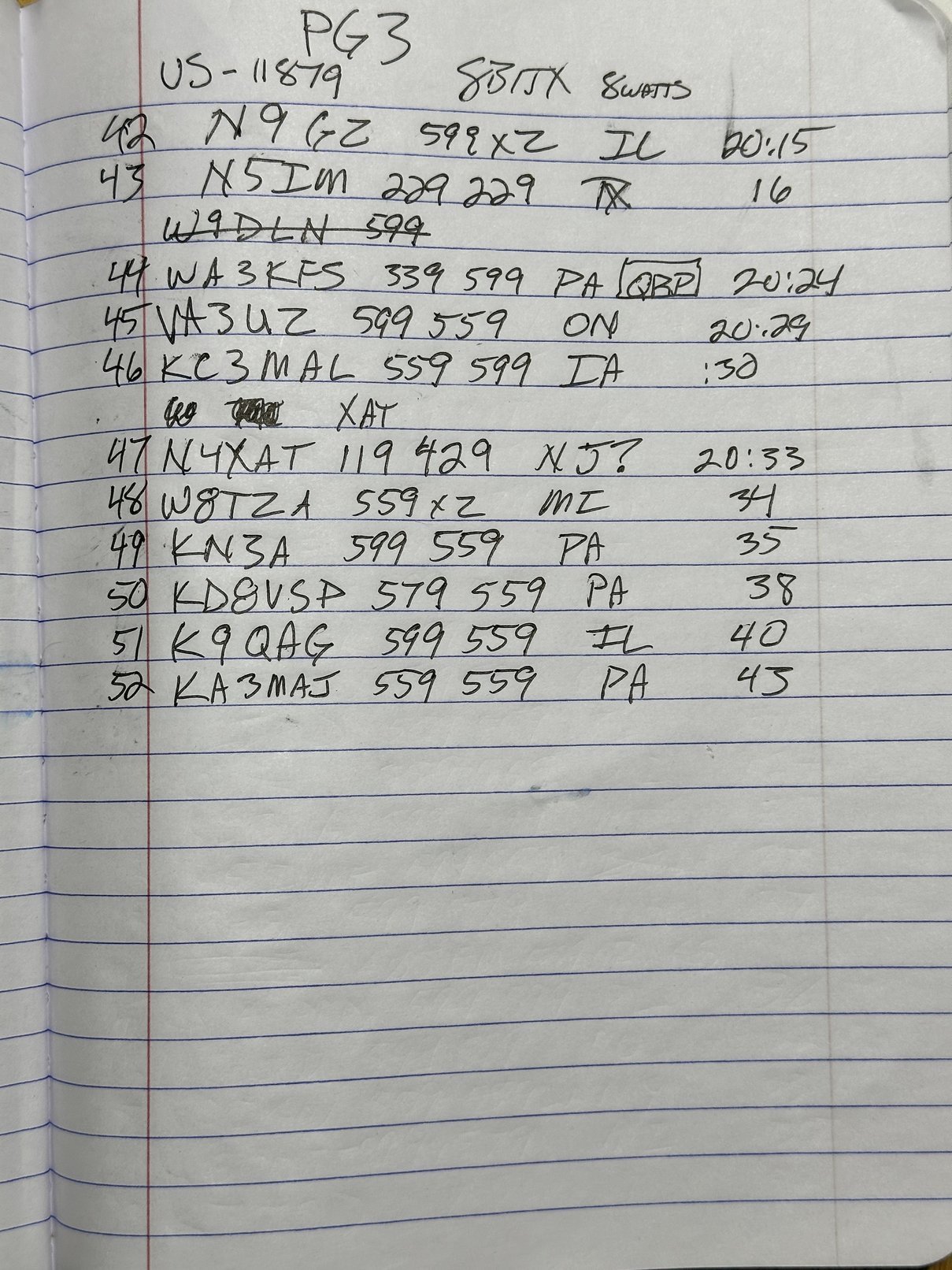
As you can see in the log below, I had a great time and logged over 50 contacts! This has to be some sort of record for me, well…it is at this park. HaHa.

Here is another thing I like about the internet era. I got home from the activation and checked my email to find a note from WB2TQE with a photo of his radio that he worked me with from Florida! Check it out. I was only running 8 watts, and thought that was really low power, but he was only running 2 watts!!!
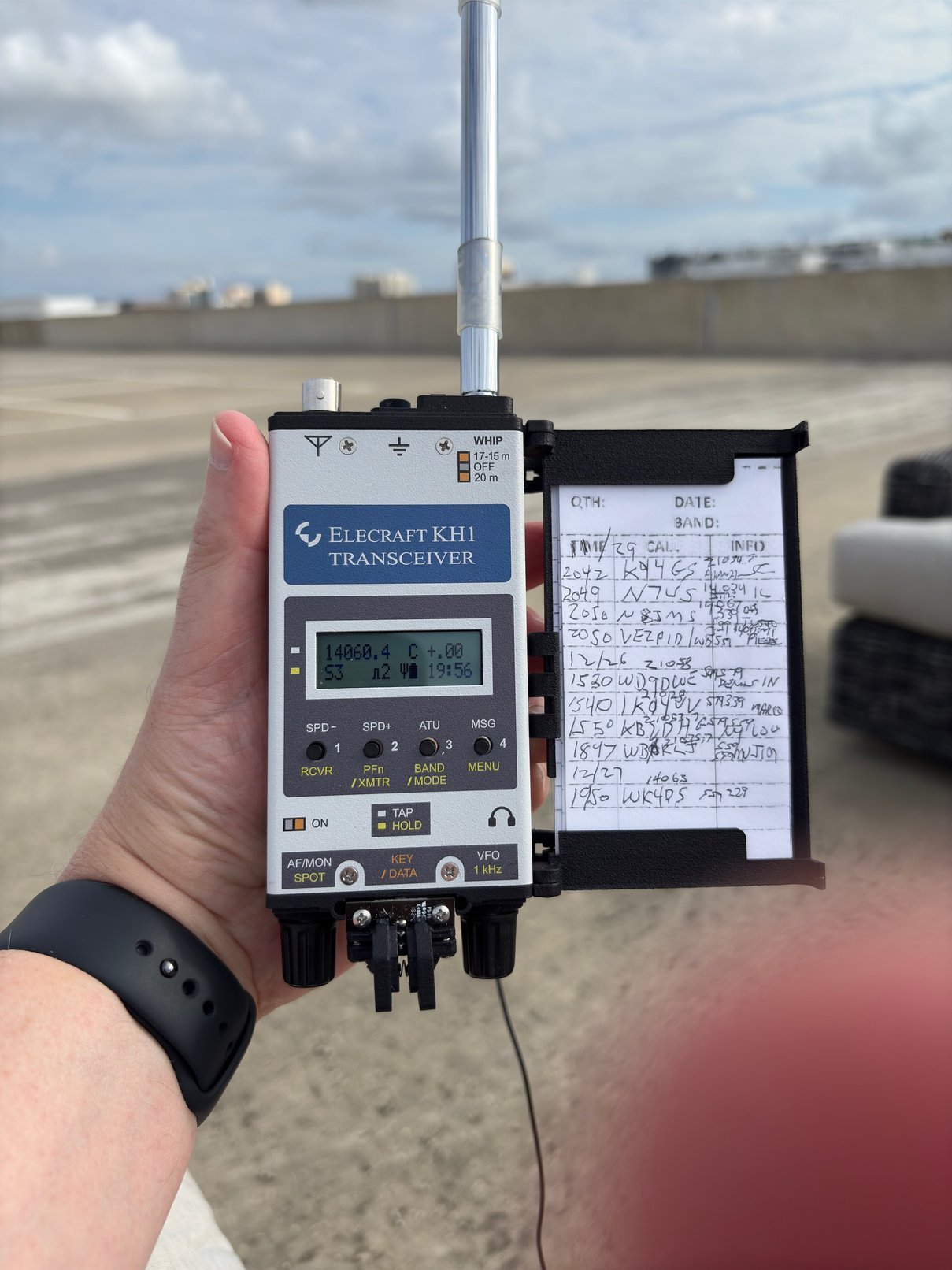
I NEED this radio!!! Just look at it! What a beautiful thing to behold. I love little QRP radios and Elecraft makes some of the best machines on the market. KV9L has the KX3 and it is quite amazing. I have owned the K1 (a couple different units) and they are incredible little radios as well. The KH1 is a radio that I would like to add to my collection at some point. It is really hard to justify it though as I have so many POTA class radios already that I love to use. It is tough one to be honest… I will probably cave at some point and get one, but for now I am loving my old Ten Tec rigs and my little Penntek TR-35.
Thanks for tagging along with me on this trip and I hope to see you again here soon.
73
WK4DS
More info on sBitx Radios Here: https://www.hfsignals.com/
#block-yui_3_17_2_1_1735648230774_13394 .social-icons-style-border .sqs-svg-icon--wrapper { box-shadow: 0 0 0 2px inset; border: none; }
[
](https://www.youtube.com/@HamRadioToday)[
](https://www.instagram.com/ham.radio.today/)[
](https://www.facebook.com/groups/hamradiotoday)[
](https://www.tiktok.com/@ham.radio.today)[
](https://discord.gg/XTxk6MuqAU)